SSD NGFF Interface SATA Protocol M.2 2280 256GB Internal Solid State Drive 1.8 Inch TLC NAND Flash Notebook Upgrade 500MB/s Read Write 0.2mm Thickness 9cm x 3cm Size Lightweight 17.5g


SSD NGFF Interface SATA Protocol M.2 2280 256GB Internal Solid State Drive 1.8 Inch TLC NAND Flash Notebook Upgrade 500MB/s Read Write 0.2mm Thickness 9cm x 3cm Size Lightweight 17.5g
NGFF M.2 2280 256GB SATA SSD with 500MB/s Speeds for Notebook Upgrades

Switching from a traditional hard drive to a solid state drive is one of the most effective ways to revive an older notebook. This SSD uses the NGFF interface with a SATA protocol, ensuring compatibility with a wide range of laptops that support M.2 slots. With sequential read and write speeds of up to 500MB/s, you can expect noticeably faster boot times, quicker application launches, and smoother file transfers. The drive stores 256GB of data using TLC three-layer unit NAND flash, which provides a good balance of storage capacity and cost efficiency. Its compact dimensions (9cm by 3cm, with a thickness of just 0.2mm) and light weight (17.5g) make it easy to install without adding bulk.
Features and Construction

This internal SSD is built to fit standard M.2 2280 slots in notebooks. Its simple construction uses proven components to deliver reliable solid-state storage.
Interface and Protocol
The drive uses an NGFF (M.2) physical interface with a SATA protocol controller. This setup makes it a direct replacement for many factory-fitted hard drives in compatible notebooks, requiring no additional drivers or adapters in most cases.
Flash Memory and Speed
Built with TLC three-layer unit NAND flash, the SSD achieves sequential read and write data transfer rates of up to 500MB/s. This speed helps reduce time spent waiting for files to load, programs to open, and data to copy.
Size and Physical Fit
The form factor is M.2 2280, meaning the circuit board measures 9cm in length and 3cm in width. Its thickness is only 0.2mm, and the entire drive weighs a mere 17.5g, making it easy to slot into tight spaces inside a laptop chassis.
Uses and Placement
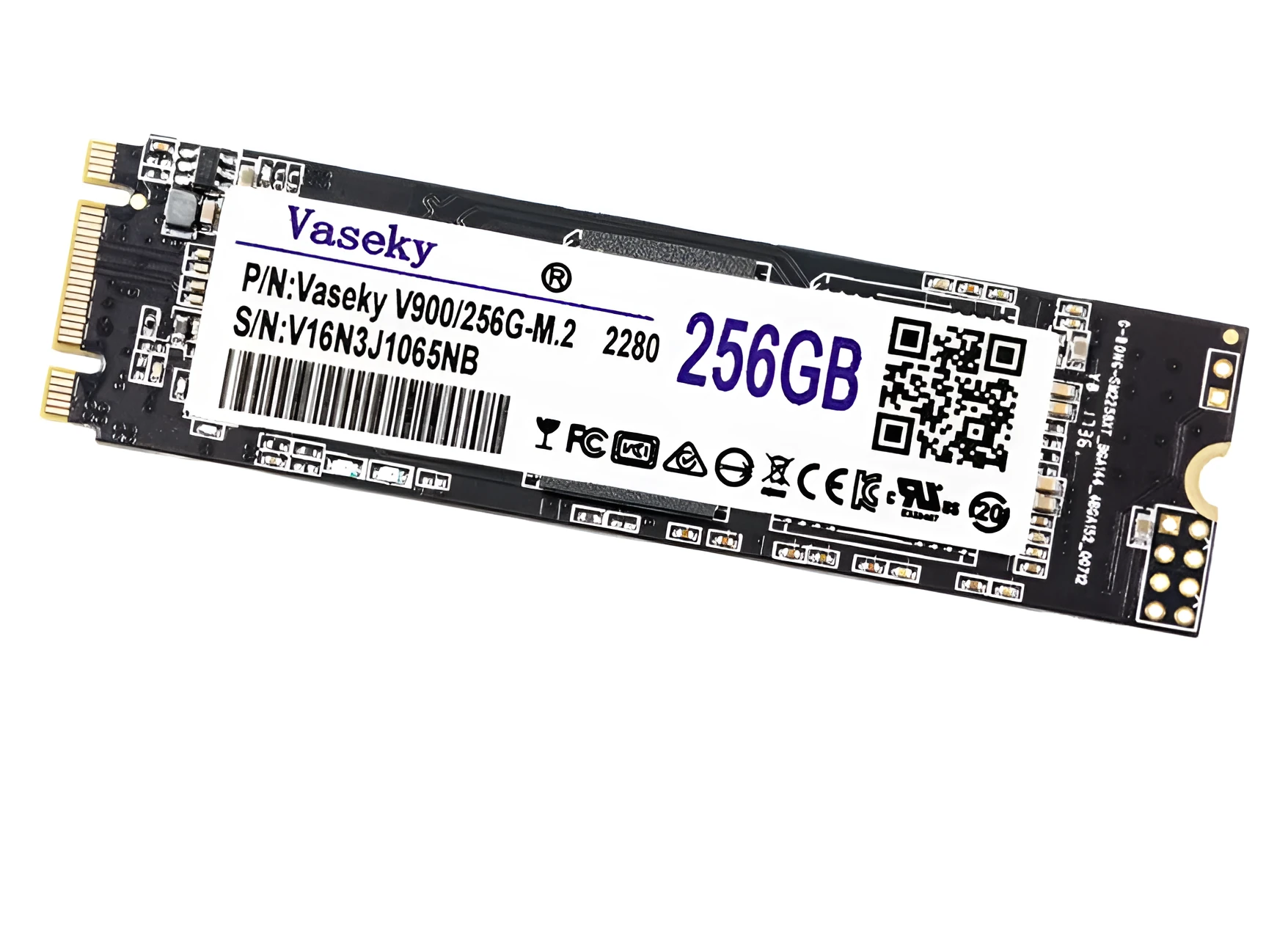
This SSD is designed primarily for internal installation in notebooks that have an M.2 slot supporting the SATA protocol. It can serve as the primary boot drive or as additional storage.
Notebook Upgrade
Replacing a slow spinning hard drive with this SSD can cut boot times in half or more, depending on the system. It is ideal for everyday laptops used for work, study, or general home computing.
Secondary Storage
If your notebook already has a primary drive, this 256GB SSD can be added as secondary storage for frequently used files, portable applications, or media libraries. Its compact size makes installation straightforward.
External Enclosure Use
Although designed as an internal drive, the M.2 form factor can be paired with an external USB enclosure (not included) to create a portable high-speed storage solution. This requires an enclosure that supports SATA M.2 drives.
Benefits and Buying Value

Upgrading to an SSD offers tangible everyday improvements in system speed and responsiveness, often at a lower cost than buying a new laptop. This model provides a good balance of performance and capacity for budget-conscious users.
Speed and Responsiveness
The 500MB/s sequential read and write speeds reduce loading times for operating systems, applications, and games. For typical office and media tasks, the improvement over a traditional hard drive is immediately noticeable.
Durability and Silence
With no moving parts, this SSD is resistant to shocks and vibrations that could damage a spinning hard drive. It also operates silently, making it suitable for quiet work environments.
Easy Installation
Installing an M.2 SSD typically involves inserting the drive at an angle into the slot and securing it with a single screw. The included drive only, with no cables needed, simplifies the upgrade process for users with a compatible notebook.